Design for Living
We can date back Bluesky to 2023, when it officially launched as an invite-only beta, but the protocol truly had its beginnings in 2024 after PDSes became selfhostable and we saw the first few non-Bluesky apps pop up (WhiteWind, Frontpage, ... remember Picosky?).
And with it appeared a new need: Browsing repositories.
I'm not sure which came first, but before PDSls, there were atproto-browser and astrolabe. The former is what inspired me. It was a great way to demo the protocol, but not the most practical development tool. I wanted to iterate on it, and especially contribute what motivated its name: seeing the full hierarchy of a PDS, including which repositories it contained.
However, how do you make a good "atproto browser"? That's a question I have obsessed over the past (almost) two years. I naively thought I was just making a "dev tool", and initially focused on tailoring the experience for them, but I soon realized a large portion of users weren't developers, they were your average social media user. PDSls lets you bypass app-level moderation takedown, it is not impacted by outages like other atproto apps, and surfaces a lot of information that were previously difficult to discover. It took me a while to take pride in this. I used to complain about my tool being used to boost drama or as an anti nuclear-block, before realizing how much of a compliment it was. I had managed to design something that didn't look too scary to the non-tech-savvy users while not sacrificing features for developers.
So now it should be the part where I talk about chairs like any serious designer would. Instead, I'll just review my web app and share what I've learned hoping it gives you a new perspective. In many ways, this will be more about "UX", but I don't want to stick to any trendy word. We're just builders, right? Whatever that motto is supposed to mean.

A key approach to PDSls has always been how unassuming it should be at first glance. We are not here to show off, we don't need to constantly remind users of all the included features. All of it will present itself as the user uncovers it.
As an example, here's a comparison between the app 1000 commits ago (August 2025) and to the right, the app in its current state.

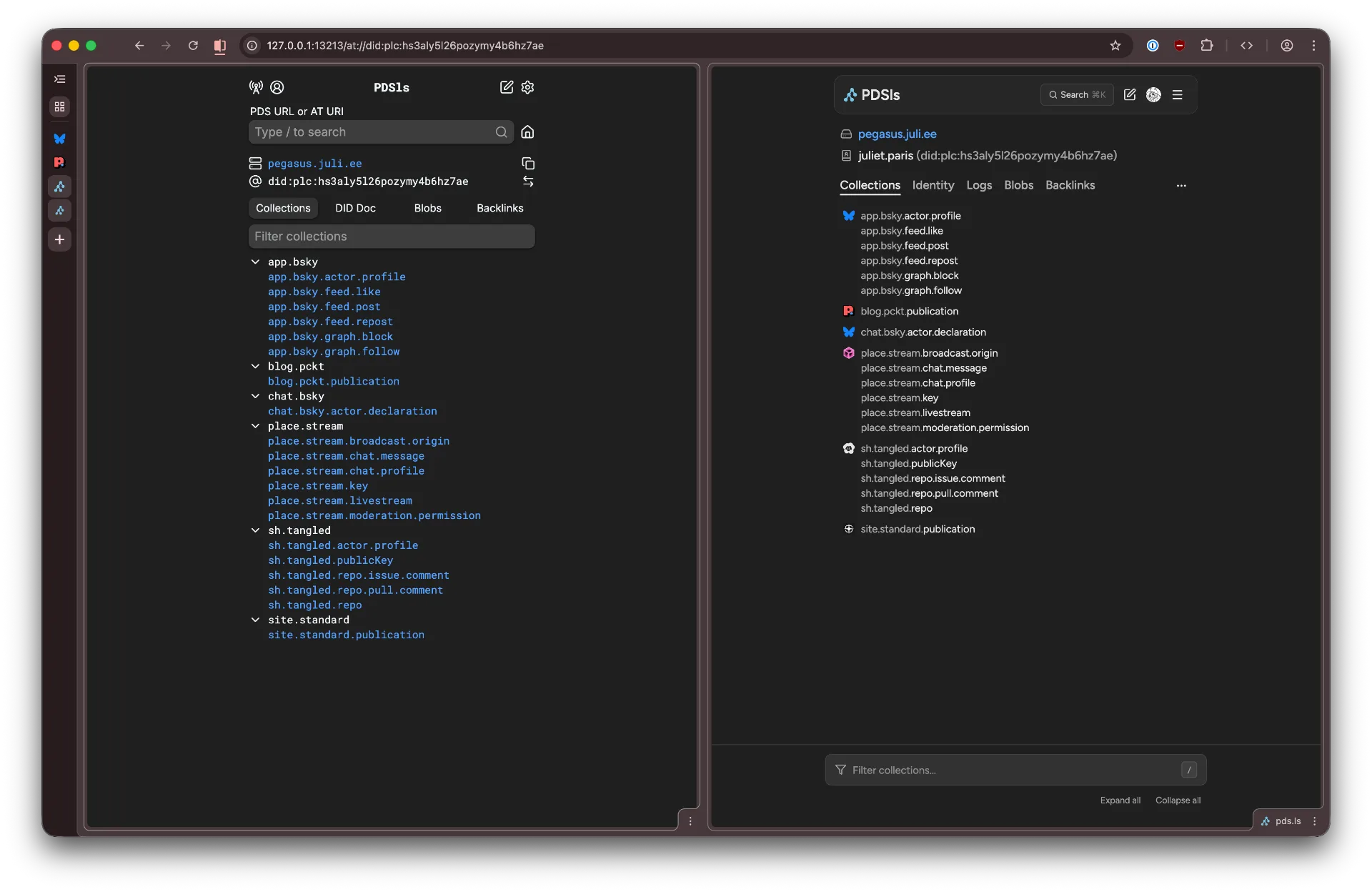

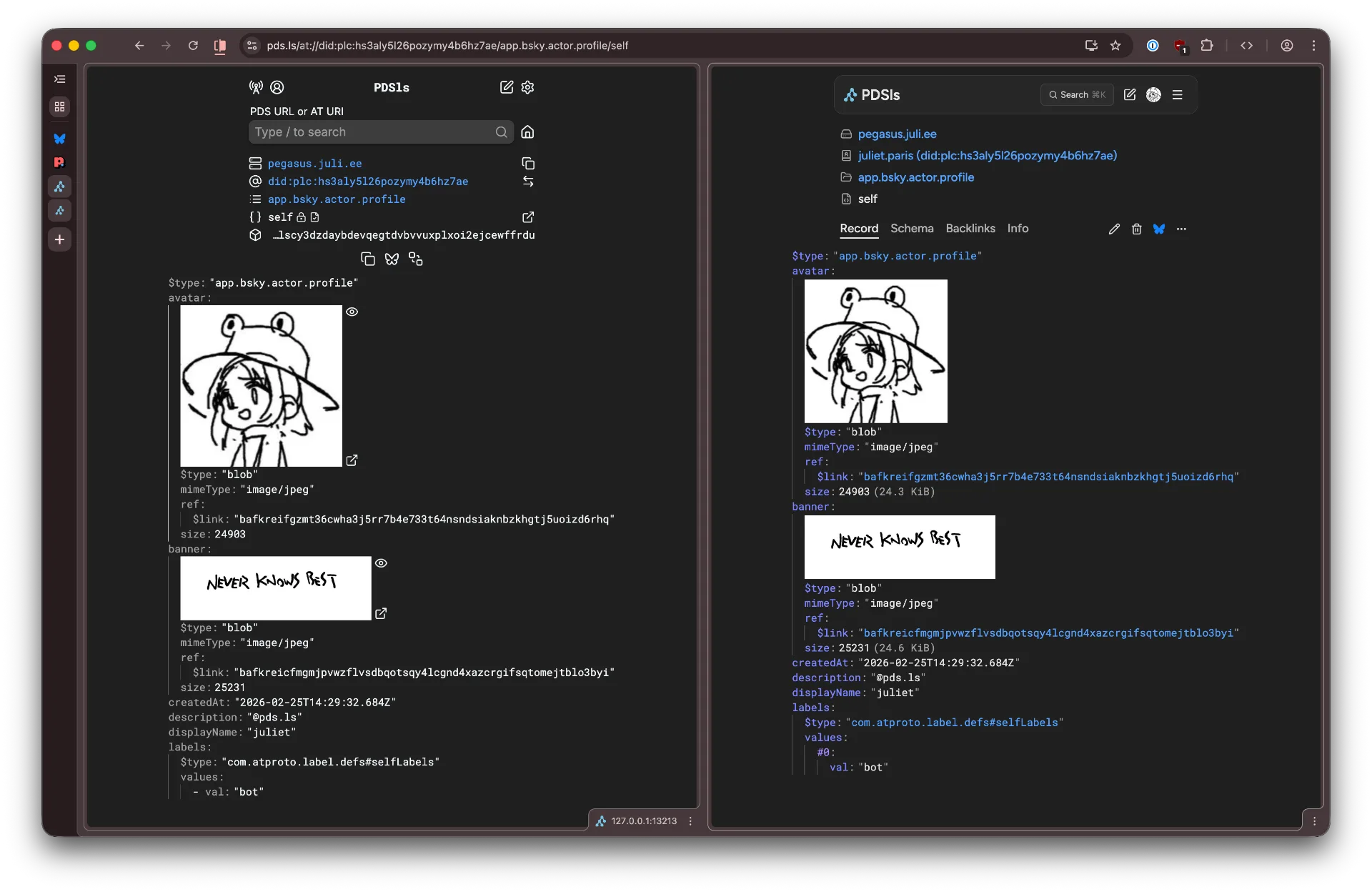
It hasn't changed all that much. Yet the difference between the left and right is 8000 lines of code. It packs features that did not exist back then, such as the PLC log or lexicon schema tab, as well as many quality of life improvements.
While the codebase became incrementally more complex, its interface stayed humble.
Actually, it got even simpler. Less, but better as the old man would say.
I never stopped seeking the extreme where the interface would be as clean as possible while still offering you all the options you need.
For example, with the record creation flow:

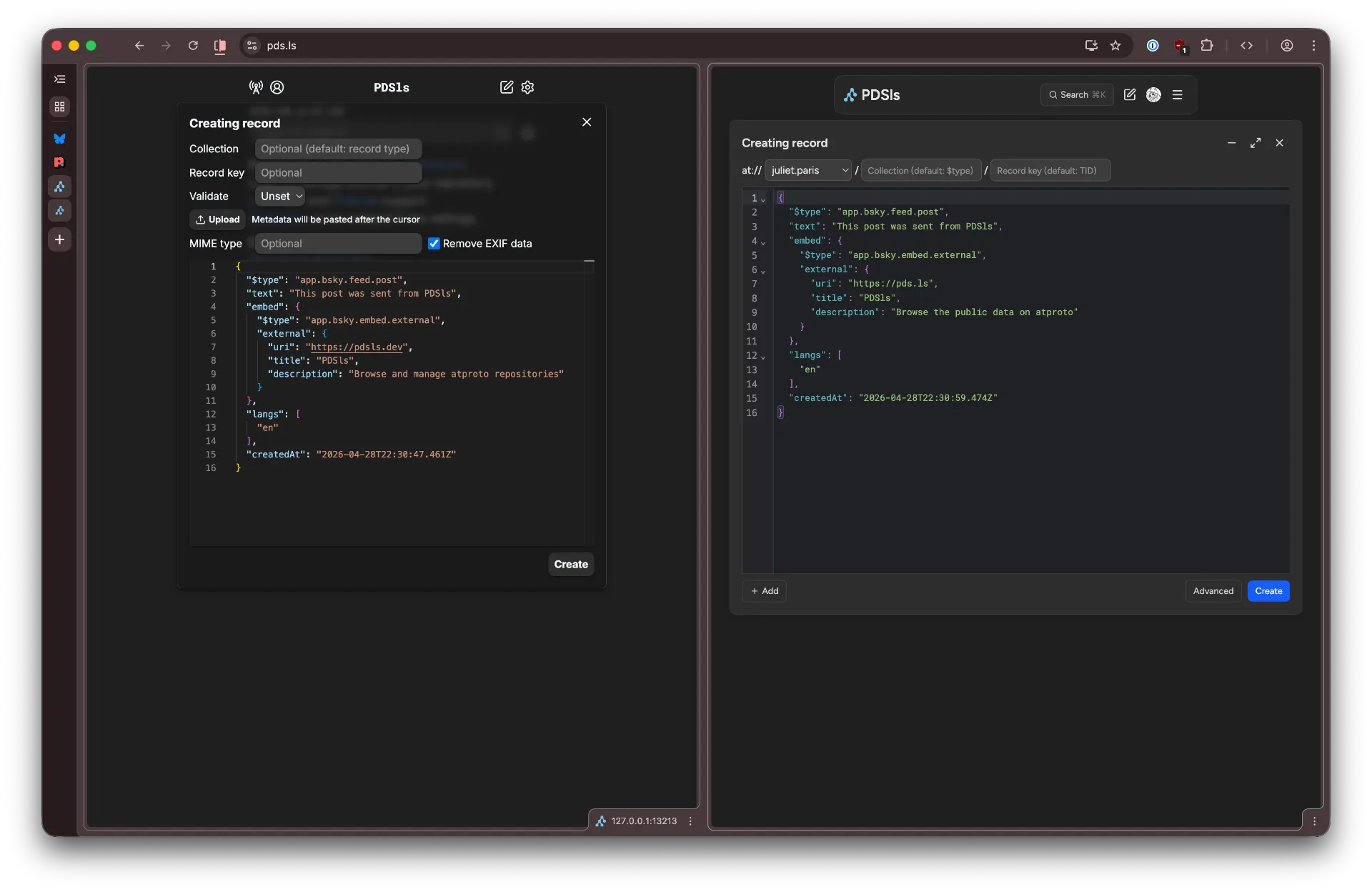
I reorganized the form by presenting the "address" as a makeshift AT URI with placeholders. One more feature than before: you can now select from a list of logged in users.
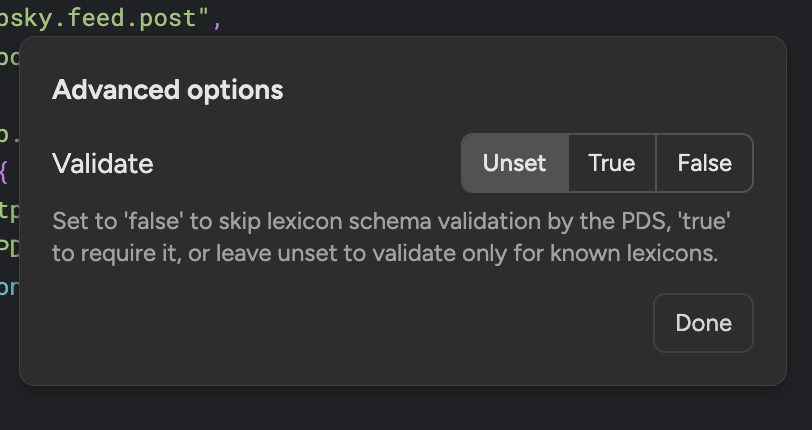
The "Validate" option was moved to an "Advanced" submenu, with a caption explaining its purpose, less intrusive since it is unlikely to be used, but also less confusion since many did not understand its effect.

And we have this "Add" dropdown menu to upload a blob, with all the options still present, but reserved to its own unique flow.

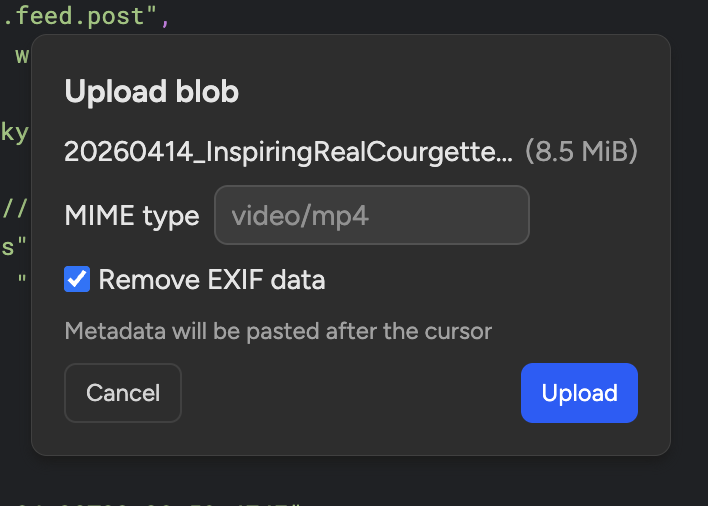
This gives more emphasis to what the user is most likely to interact with: the editor. In many instances, you won't need to touch up any other settings.
Even if familiarity will help you face the most complex interfaces, and develop the muscle memory to be efficient regardless of poor design, we should care about the first time usage as much as the 100th time, especially when most will never dedicate this much time. It's like with video games, look up any Steam achievements stats to realize most players never get past the tutorial or first hour. So ironically enough, the beginning of a game is what gets experienced the most.
We also want to reduce friction for experienced developers. In the context of PDSls, a frequent challenge is making large amount of information easy to parse, like a livestream of every event on the network:

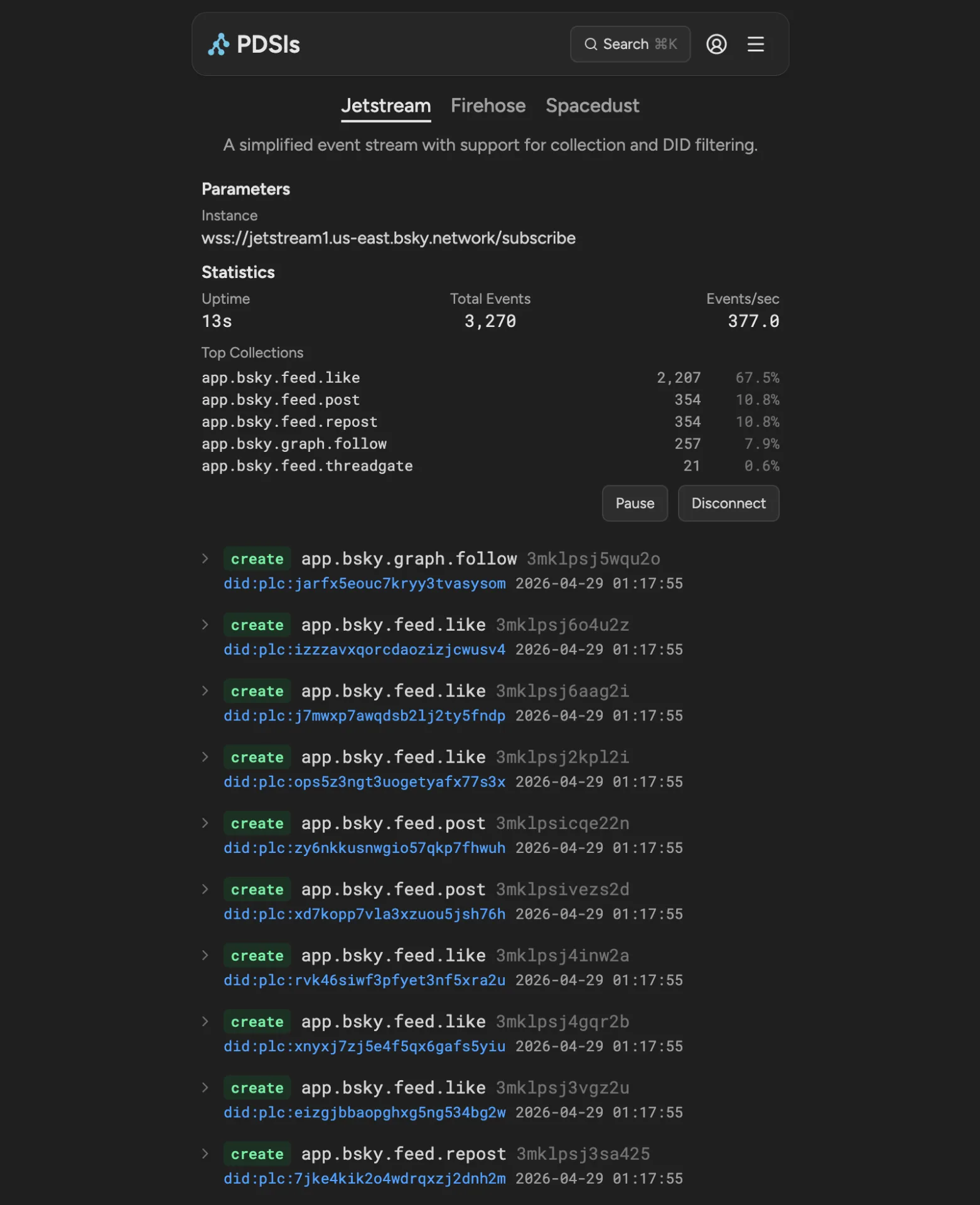
There is the temptation to include all kind of statistics, diagnostics, and data to satisfy the needs of any niche use case. But all too often, it creates an unreadable mess, and the developer will just conclude they're better off making their own debug tool, or going back to the terminal.
I always had non-goals with this project with an ideal in mind that a perfectly designed tool should be so intuitive, it can be used without a manual, and so I should avoid obscure features that would interrupt the user halfway through their task. It gets the job done, not all jobs, but most, and if you need more, you can probably figure out a better alternative. PDSls is a helper, but it can't replace all dev tools.
There is a lot more that goes into design, and making this cryptic app more pleasant to use. I'm very happy with the inclusion of favicons in the collection and backlinks pages, which adds a bit of color and character to what is otherwise just a lot of raw data. It's simple affordances like this that help users identify what they're looking at.
Very often, it can be another way to sneak in a feature, since an icon can be a button, users will be curious to hover and click them. Use what's available before adding another element.
For example, when i redesigned the record page, I wanted to make the key a way to link to a specific part of the record.

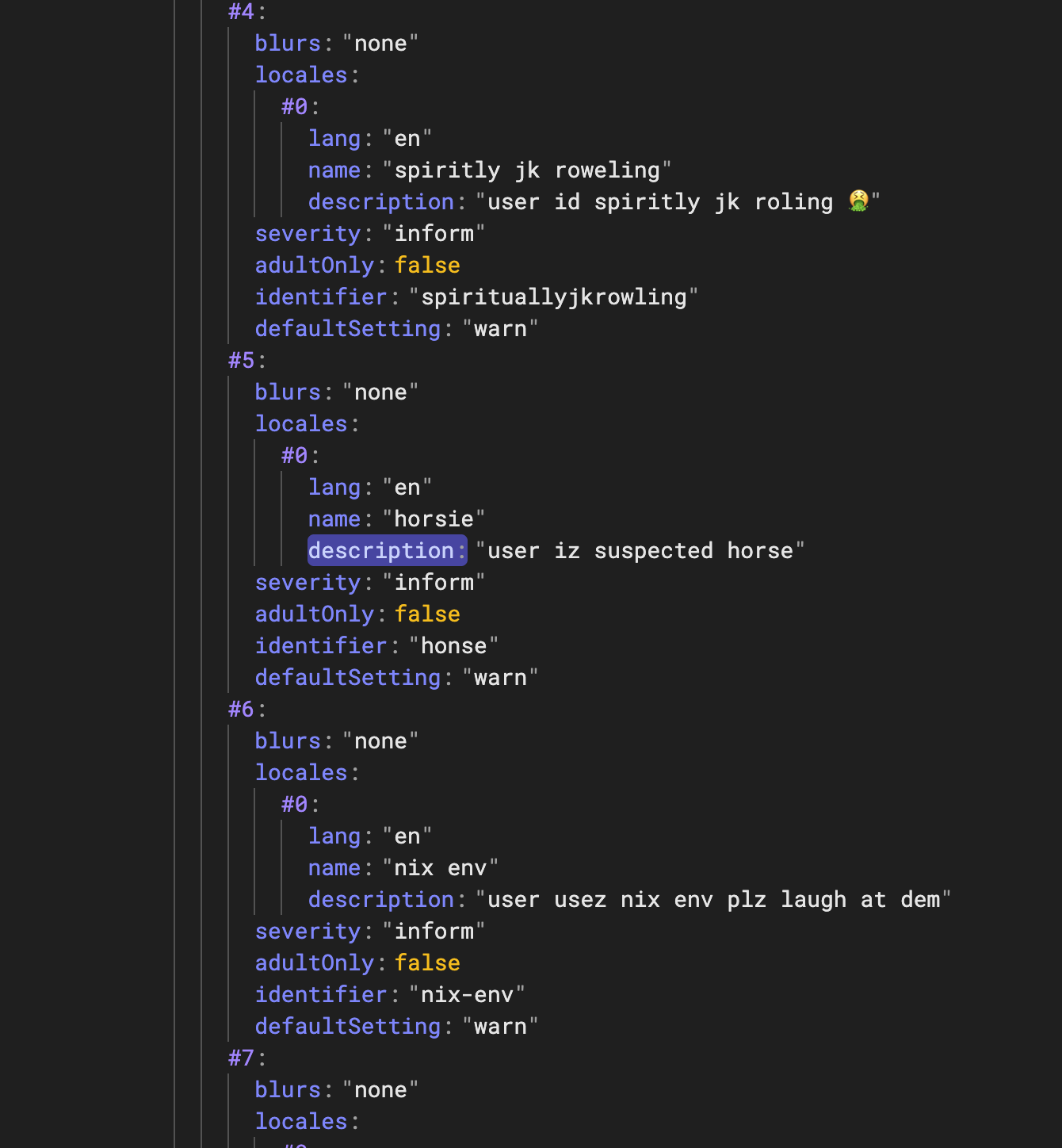
However, it already had an interaction which was to fold the data underneath. It took me a bit to notice the indent guides were not used for anything other than a visual indicator. So inspired by reddit, I made them clickable to fold the current level.

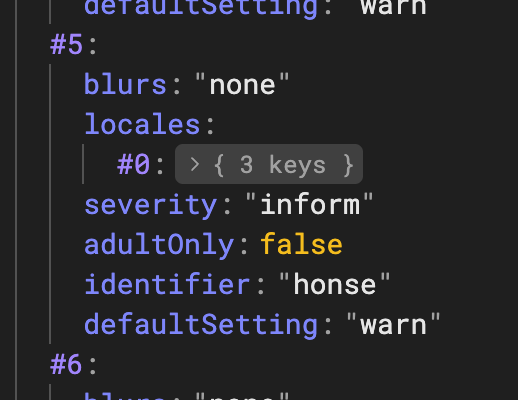
Now they both come with their own mechanism, it might not be immediately obvious they exist, but we avoid potential visual bugs that would come with adding more buttons in the middle of a compact set of data. Users are not (always) dumb, they can learn, and they will recognize patterns across apps.
I would happily ramble more about all this but for a first article, I prefer to keep it short and concise. I hope this was somewhat useful. AT Protocol itself demonstrates a commitment to good design and practices for both users and developers, so our apps should reflect this.